

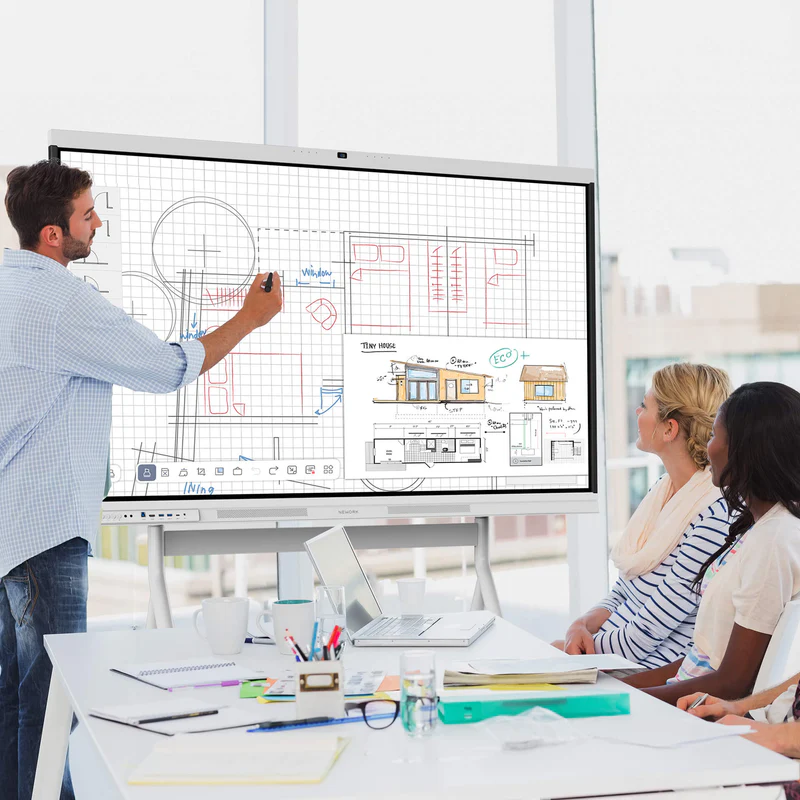
Selecting the ideal interactive display platform requires a deep analysis of software compatibility, casting flexibility, and interface responsiveness. School districts and enterprise buying departments should balance modern technical features against long-term equipment costs to evaluate the overall value of their technology investments. Looking at Nework vs. other smart boards, and specifically comparing these displays to options like ViewSonic, helps organizations choose hardware that integrates smoothly into their existing technical infrastructure.
The engineered solutions behind these interactive systems are created by Nework, an innovative audiovisual technology firm headquartered in California. This enterprise focuses on interactive hardware designed to streamline group workflows, reduce installation complexity, and decrease long-term operational costs for schools and businesses. Buyers seeking to upgrade their infrastructure can explore the complete lineup and secure robust educational or corporate models by visiting the official Nework.ai portal to consult with collaboration experts.
The Evolution of Wireless Casting and Screen Sharing
Modern workspaces and classrooms demand rapid screen-sharing capabilities to keep meetings fluid and highly interactive. Traditional displays often require complex software installations or physical dongles before a user can mirror a laptop screen.
This friction is reduced by allowing users to cast from any device to up to 16 screens at once. Presenters can easily share content from tablets, smartphones, or laptops without wasting time passing cables around the room.
Real Time On Screen Annotation and File Interaction
Static screen mirroring often limits the productivity of dynamic brainstorming sessions and interactive class discussions. Presenters need the ability to make instant corrections or highlight key data points directly over shared digital content.
With these advanced systems, users can annotate instantly on slides, files, and videos without switching tools. This direct interaction makes collaborative sessions far more efficient and helps keep audiences highly engaged throughout presentations.
Comparing Touch Latency and Handwriting Naturalness
Writing on an interactive display should feel as intuitive and responsive as using a traditional physical marker on a whiteboard. High latency or delayed digital ink tracking can cause frustration and disrupt a teacher’s natural presentation flow.
Advanced manufacturing has successfully reduced touch-response delays down to a highly responsive 8 milliseconds on modern displays. This low-latency engineering ensures that digital writing tracking remains incredibly smooth, fluid, and completely natural for every user.
Software Integration and Operating System Longevity
When comparing Nework vs. other smart boards, software ecosystem flexibility represents a critical decision point for technical purchasing departments. Systems locked into restrictive, proprietary software platforms restrict user options and complicate administrative fleet management over time.
Deploying a modern Nework smart board provides full Google EDLA certification built directly onto a robust Android 14 operating system. This official integration grants secure, native access to the Google Play Store, Google Workspace, and essential cloud applications.
Visual Standards for Scientific and Technical Content
Display resolution and color precision are vital components when viewing highly detailed engineering plans, complex schematics, or high-definition educational media. Poor color reproduction can obscure important information and lead to eye fatigue during extended viewing sessions.
Equipped with a crisp 4K UHD resolution and an 85% NTSC color gamut, the hardware delivers clear, color-accurate visuals. This display standard ensures that every diagram, image, and text block is rendered with extreme accuracy.
Auditory Performance and Spatial Sound Distribution
A premium visual presentation can lose its educational impact if meeting participants or students cannot hear spoken instructions clearly. Many basic displays include underpowered speakers that fail to project sound evenly across large, busy environments.
To provide clear audio for any classroom or boardroom, the integrated hardware features powerful Dual 20W stereo speakers. This integrated audio setup delivers rich sound quality without requiring complex, expensive external soundbar installations.
Streamlined Hardware Connections and Single Cable Control
Connecting multiple devices to a shared display often leads to a messy cluster of power cords, HDMI lines, and USB cables. This physical clutter can make meeting tables look untidy and frequently causes frustrating connection issues.
Utilizing full-function USB Type-C connectivity simplifies workspace organization by transferring power, video, audio, and touch feedback through one single cable. This unified connection standard reduces setup times and allows meetings to begin immediately.
Professional Video Conferencing and Camera Clarity
As distributed teams and remote learning continue to expand, professional-grade video capabilities are becoming increasingly important for effective communication and collaboration. Grainy video feeds can make remote clients and off-site team members feel disconnected from the physical boardroom.
To address this, premium models incorporate a high-resolution 48MP Pro Camera that delivers exceptional 4K visual clarity. This camera setup ensures that all remote participants enjoy clear, highly professional face-to-face communication during meetings.
Conclusion
Evaluating the direct feature differences between the Nework smart board and traditional alternatives highlighting the value of modern, open operating systems. Organizations benefit immensely from features like 16-screen wireless casting, low-latency handwriting input, and official Google EDLA security certifications. Investing in well-supported, highly integrated interactive hardware helps schools and enterprises minimize their overall IT support demands while creating collaborative, future-proof workspaces.